
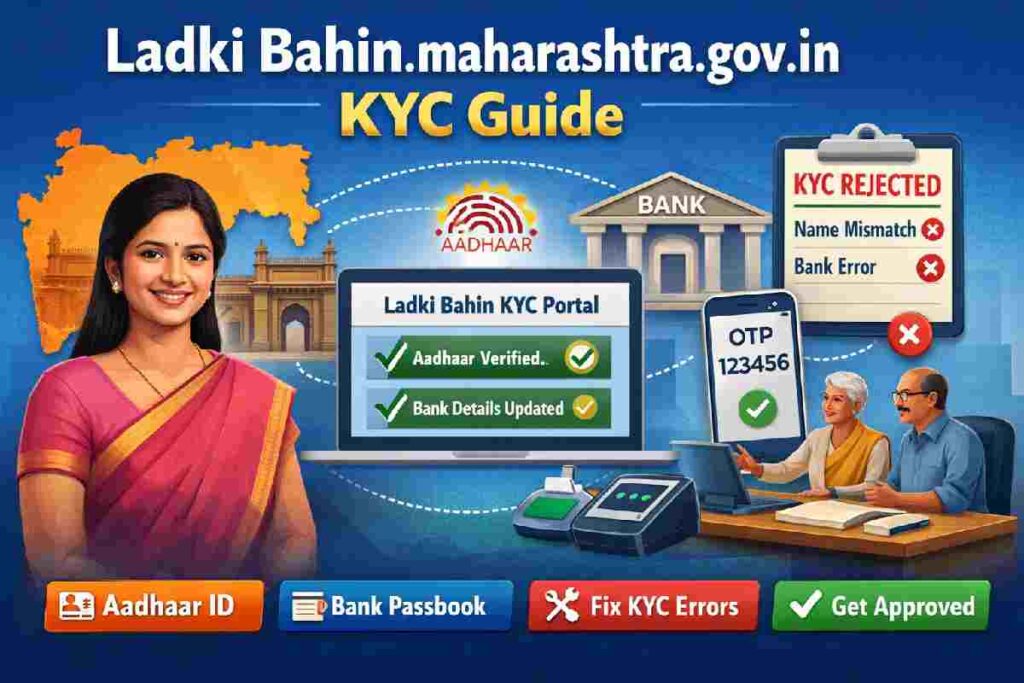
ladki bahin.maharashtra.gov.in kyc – Scheme Basics
KYC (Know Your Customer) in the Ladki Bahin portal is the identity verification step that connects:
-
Your Aadhaar identity
-
Your bank account
-
Your mobile number
-
Your scheme application
Without successful KYC, payment approval usually does not move forward — even if your form is accepted.
Think of KYC as the final identity lock on your application.
Launched June 2024 by Maharashtra govt, Mukhyamantri Majhi Ladki Bahin Yojana empowers 2.3+ crore women aged 21-65 from families earning <₹2.5 lakh/year with ₹1,500 monthly via DBT. Eligible: Married/widowed/divorced/unmarried (one per family), no govt pensioner kin.
eKYC verifies identity yearly via Aadhaar, blocking fraud exposed in 2025 audits—like 797K third-family members costing ₹1,196 crore. Skip it? Payments pause until done, as per Women & Child Development Dept GR.
Our POV: SERPs gloss over how cleanups now flag minor errors as “suspect,” so prep beats panic.
Eligibility Checklist
-
Maharashtra resident (domicile proof).
-
Age 21-65, family income <₹2.5L (income cert).
-
Max 2 women/household; no 4-wheeler owners or govt staff families.
-
Bank account Aadhaar-linked.
Documents Required for Ladki Bahin KYC Verification
You’ll need three core documents, all in the applicant’s name:
1. Aadhaar Card
- Physical card or downloaded e-Aadhaar both accepted
- Must be the same Aadhaar number used during application
- Biometric (fingerprint) may be required for offline verification
2. Bank Account Details
- Passbook showing account number and IFSC code, OR
- Cancelled cheque with pre-printed account details
- Account must be in applicant’s name only—joint accounts are not accepted
- Must be DBT-enabled (most Jan Dhan and savings accounts already are)
3. Registered Mobile Number
- Must be the number linked to your Aadhaar
- Active SIM required for OTP reception
- If you’ve changed numbers since Aadhaar registration, update at nearest Aadhaar Seva Kendra first
Pre-eKYC Checklist – Avoid 80% Fails
Don’t hit the portal blind—80% fails stem from prep gaps, per official fixes.
7-Point Prep Framework
-
Verify Aadhaar-bank NPCI link (check uidai.gov.in or bank app).
-
Update Aadhaar mobile (SMS to 1940).
-
Match names: Aadhaar vs ration card vs bank.
-
Gather docs: Ration, marriage cert (if new), income proof.
-
Stable internet; use Chrome app.
-
Test OTP on myAadhaar portal first.
-
Rural? Locate nearest Jan Seva Kendra (mahaepass.maharashtra.gov.in).
This troubleshooter step turns beginners into pros, dodging rural hurdles like poor signal.
(Internal link: Deeper Aadhaar-bank linking guide here.)
Step-by-Step eKYC on ladakibahin.maharashtra.gov.in
Step 1: Access the Portal
- Go to ladki bahin.maharashtra.gov.in (type carefully—fake phishing sites exist)
- Click “Beneficiary Login” or “KYC Verification” on homepage
- Enter your application reference number (received via SMS after approval) and registered mobile number
Step 2: Navigate to KYC Section
- Once logged in, dashboard shows application status
- Look for “Complete KYC” or “E-KYC Pending” button (usually highlighted in red/orange)
- Click to open KYC form
Step 3: Aadhaar Authentication
- Enter your 12-digit Aadhaar number
- Check the consent box: “I authorize UIDAI to authenticate my Aadhaar for Ladki Bahin Yojana”
- Click “Send OTP”
Step 4: OTP Verification
- OTP will be sent to your Aadhaar-linked mobile number
- Enter 6-digit OTP within 10 minutes
- If OTP doesn’t arrive within 3 minutes, wait—system has 30-minute retry lockout
- After entering OTP, click “Verify and Proceed”
Step 5: Bank Account Entry
- Enter bank account number (re-enter to confirm—typos are common)
- Enter 11-character IFSC code (found on passbook or cheque)
- Select bank name from dropdown
- Upload clear photo/scan of passbook first page or cancelled cheque (JPG/PDF under 2MB)
Step 6: Review and Submit
- System shows summary: Name, Aadhaar (masked), Bank Account (masked)
- Verify all details carefully—you cannot edit after submission
- Click “Final Submit”
- Note down acknowledgment number shown on screen
Expected Outcome: Status changes to “KYC Under Verification.” First installment typically processes within 15 days if verification succeeds.
Common eKYC Fails & Fixes (Our Core Edge)
Top SERPs list steps but skip why they flop—here’s the fix table from 2026 beneficiary reports.
| Issue | Root Cause | Fix Steps | Time to Resolve |
|---|---|---|---|
| OTP not received | Unlinked mobile/NPCI fail | Update UIDAI mobile; NPCI map bank | 24 hrs |
| “Name mismatch” | Docs vs Aadhaar differ | Correct bank/Aadhaar name; re-upload | 1-2 days |
| Submit rejected | DBT not enabled | Bank branch: Enable DBT | Same day |
| Biometric fail | Rural poor scan | Jan Seva Kendra biometric | 1 day |
| Server error | Peak hours overload | Retry off-peak (early AM) | Immediate |
After eKYC – Track Status & Next Steps
Post-submit, wait 2-7 days for “Completed.” Track: Portal “Status” tab or SMS alerts.
2026 nuance: Feb 12+ payments tied to verification amid delays; possible Dec-Jan combo ₹3K.
Yearly Framework: Mark calendar—repeat Jan/Feb annually.
Offline KYC Options for Rural and Low-Connectivity Areas
Online KYC assumes stable internet, smartphone literacy, and working OTP delivery. For the estimated 40% of rural applicants who face at least one of these barriers, offline verification is not a “backup”—it’s the primary designed pathway.
Where to Complete Offline KYC
1. Anganwadi Centers (AWCs) All AWCs in Maharashtra are equipped with biometric devices and trained coordinators for Ladki Bahin KYC.
- Bring: Aadhaar card (physical), bank passbook, and yourself (for fingerprint)
- Process: Coordinator verifies documents, captures fingerprint on device, enters bank details
- Time: 15-20 minutes
- Status: Updates within 24 hours in central database
2. Gram Panchayat Offices Gram Sevaks and Village Level Entrepreneurs (VLEs) can assist with KYC using Common Service Centers (CSC) terminals.
- Bring: Same documents as AWC
- Process: Similar to online but operator handles portal navigation
- Fee: ₹20-30 service charge (official, non-negotiable)
3. Mahila Bachat Gat (Self-Help Group) Coordinators Designated coordinators in each taluka conduct KYC camps, especially during first week of every month.
- Check with local Anganwadi for camp schedule
- Group verification (5-10 women processed together)
- Free of charge
How Offline Verification Works Technically
The biometric device captures your fingerprint and sends it to UIDAI servers via coordinator’s internet connection (not yours). If fingerprint matches Aadhaar database, authentication succeeds without OTP. Bank details are manually entered and validated against NPCI database. Entire transaction is logged under coordinator’s credentials, creating accountability.
Key advantage: Bypasses all OTP and network issues on applicant’s side. Only requires coordinator’s stable connection.
Timeline: Offline KYC typically reflects in portal within 24-48 hours (vs 2-5 hours for online platform). First payment processing starts after status shows “KYC Completed.”
Maharashtra District Help Centers
| District | Key Locations | Contact/Support |
|---|---|---|
| Mumbai | Mantralaya Jan Seva | 1800-xxx (toll-free WCD) |
| Pune | District Collector Office | Local Aanganwadi helpline |
| Nagpur | Rural Dev Agency | Jan Seva Kendra nearest |
| Nashik | Women & Child Office | Portal chat/support |
| Aurangabad | Zilla Parishad | Biometric camps seasonal |